Scrolling Through Time: Building a Newbury Train Tracker with the LilyGo T-Display-S3 Long

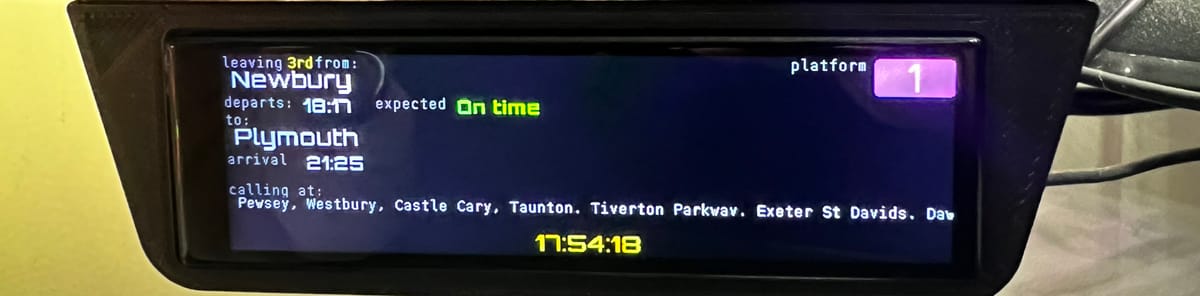
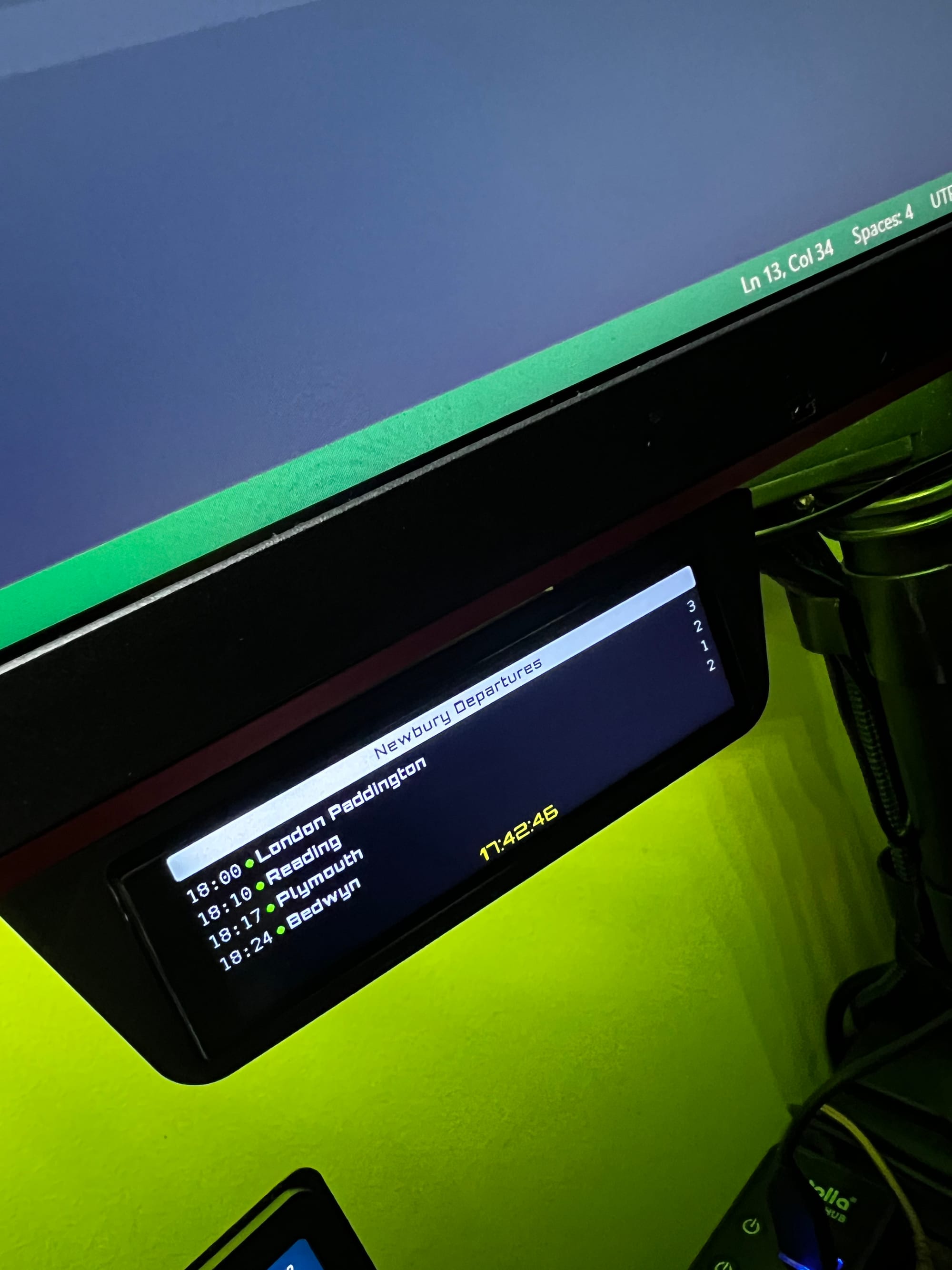
For anyone living in a commuter town like Newbury, the "train stress" is real. Am I going to catch the Great Western Railway (GWR) service to Paddington? Is the Bedwyn shuttle on time? Instead of fumbling with a phone app, I decided to build a permanent, glanceable solution using the LilyGo T-Display-S3 Long.
With its unusual 640x180 resolution, this board is perfectly shaped to mimic the linear "next train" boards found on platform 1 at Newbury. Here is how I built it and the code that makes it work.
The Hardware: Why the "Long" Version?
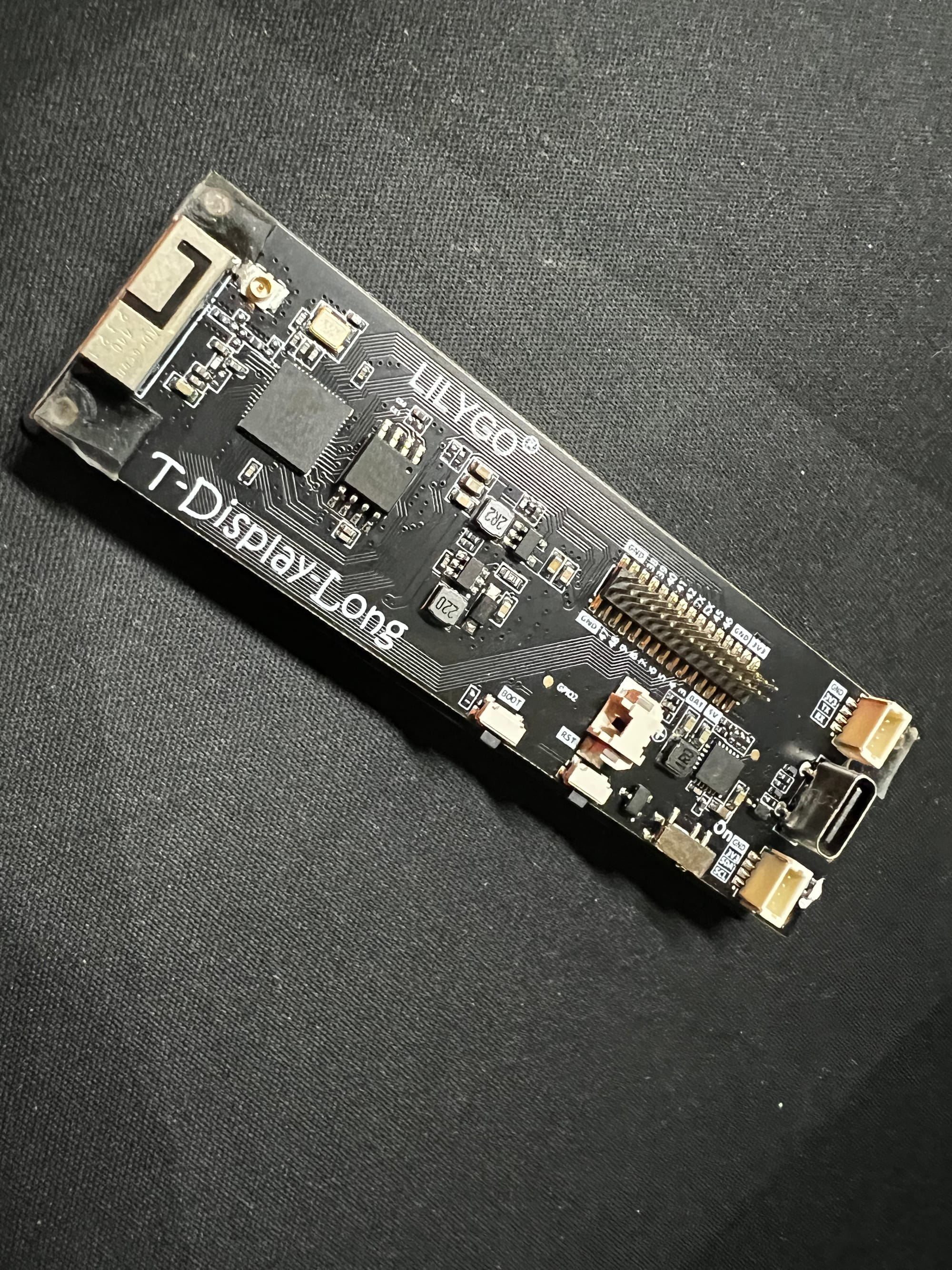
The LilyGo T-Display-S3 Long is a specialized beast. It’s powered by an ESP32-S3, which means it has the muscle to handle Wi-Fi, complex JSON parsing, and smooth graphics. But the real star is the 3.4-inch touch display. Its ultra-wide aspect ratio allows you to display a long timeline of arrivals or detailed status strings—like "On Time" or "Delayed 5 mins"—without the text feeling cramped.
The Data Source: Newbury (NBY) Live Feeds
To get real-time data, the project taps into the UK’s rail data. The code is configured to target Newbury station (CRS code: NBY). Using a REST API (like transportapi or departureboard.io), the ESP32 fetches a JSON payload containing:
- Origin/Destination
- Scheduled vs. Estimated Arrival Time
- Platform Number
- Delay Status
Key Coding Highlights
The repositoryesp32_TrainStationOLEDLongcontains the logic for turning raw data into a scrolling UI. Here are the technical pillars:
1. Handling the Ultra-Wide Screen
Because the screen is 640 pixels wide, standard libraries need specific configurations. The project utilizes the TFT_eSPI library with a custom header to account for the unique resolution.
C++
// Resolution highlights for the Long display
#define SCREEN_WIDTH  640
#define SCREEN_HEIGHT 180
Oh the Library Pain!
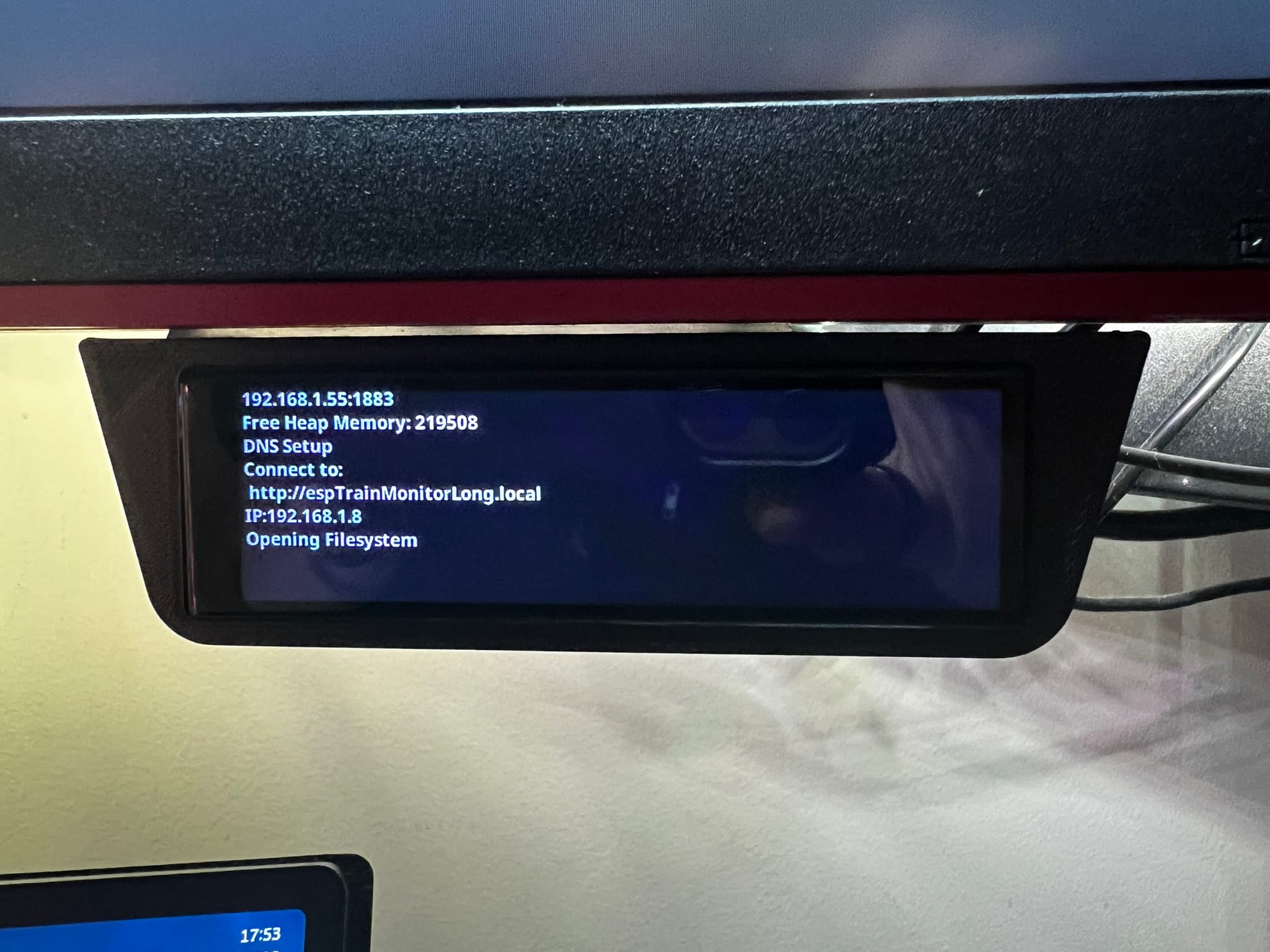
If you’ve ever tried to use the standard TFT_eSPI library with this specific ultra-wide (640x180) panel, you’ve likely met the same wall I did: a screen that remains stubbornly blank or displays a scrambled mess of static.
The struggle comes down to the display's non-standard aspect ratio and the specific initialization sequence required for its controller. While TFT_eSPI is the gold standard for ESP32 displays, it isn't always "plug-and-play" for niche, long-form hardware. You find yourself digging through User_Setup.h files, guessing at clock speeds, and triple-checking SPI pins, only to realize the timing parameters just aren't clicking.
The Breakthrough: nikthefix to the rescue
After hours of troubleshooting, the solution didn't come from the official LilyGo examples (which can be bloated and hard to strip down) but from a specialized repository:nikthefix/Lilygo_Support_T_Display_S3_Long_TFT_eSPI_Volos-nikthefix.
This custom implementation is a lifesaver for several reasons:
- Correct Initialization: It includes the precise "magic numbers" in the setup code that the 640x180 panel needs to wake up correctly.
- Volos Integration: It builds on the excellent work by Volos Projects, but streamlines it specifically for the S3 Long, ensuring that the touch-screen coordinates actually align with the pixels on the screen.
- TFT_eSPI Optimization: Instead of fighting with a generic library, this version provides a pre-configured environment where the driver and the library work in harmony.
Why it mattered for the Train Board
For the Newbury Train Station project, smooth scrolling and crisp text were non-negotiable. Using the nikthefix version allowed me to stop fighting the hardware and start focusing on the software. It handled the heavy lifting of the display driver, providing a stable canvas for the GWR-style yellow text and the touch-swipe logic.
If you’re struggling with a LilyGo "Long" board, save yourself the headache. Don't try to reinvent the User_Setup.h wheel—grab the specialized version from nikthefix and get straight to building.
2. The Live Data Fetch
The heart of the project is an asynchronous HTTP request that pulls the Newbury arrival board. By parsing the JSON, the code extracts just the trains heading into Newbury.
C++
// High-level logic for fetching Newbury arrivals
void updateTrainData() {
    if (WiFi.status() == WL_CONNECTED) {
        HTTPClient http;
        // API endpoint for Newbury (NBY)
        http.begin(apiEndpoint + "NBY");
        int httpCode = http.GET();

        if (httpCode > 0) {
            String payload = http.getString();
            parseTrainJSON(payload);
        }
        http.end();
    }
}
3. Touch-Based Scrolling
Since this is the touch version of the T-Display, I implemented a vertical scroll. If there are more than 3 trains arriving (a common occurrence at peak times in Newbury), you can swipe on the screen to move through the list.
The code uses the CST816S touch controller logic to detect Y-axis movement and offset the rendering of the train "cards."
4. Visual Styling
To make it look like a real GWR board, the UI uses:
- Yellow text on a black background for that classic OLED/LED look.
- Custom Fonts: Large bold fonts for the arrival time and smaller condensed fonts for the "Calling at..." list.
Why this works for Newbury
Newbury station is a key junction for the Reading-Taunton line. Because trains come from both the local Bedwyn line and the fast Intercity Express (IET) services, the "Estimated Time of Arrival" changes frequently. By having this on my desk, I know exactly when the 08:23 is actually arriving at Platform 2 without ever opening my laptop.
Get the Code
If you have a LilyGo T-Display-S3 Long and want to track your own local station (or Newbury!), you can find the full source code, including the library configurations and JSON parsers, on GitHub:
Repo:merlinmb/esp32_TrainStationOLEDLong
Wiki for screen:
Happy commuting!