Eyes Front: Giving the Volvo EX30 the Speedometer It Forgot
A CAN bus dead end, a rectangular prototype, and a little round M5Stack StopWatch that now lives exactly where a speedometer should have been all along.

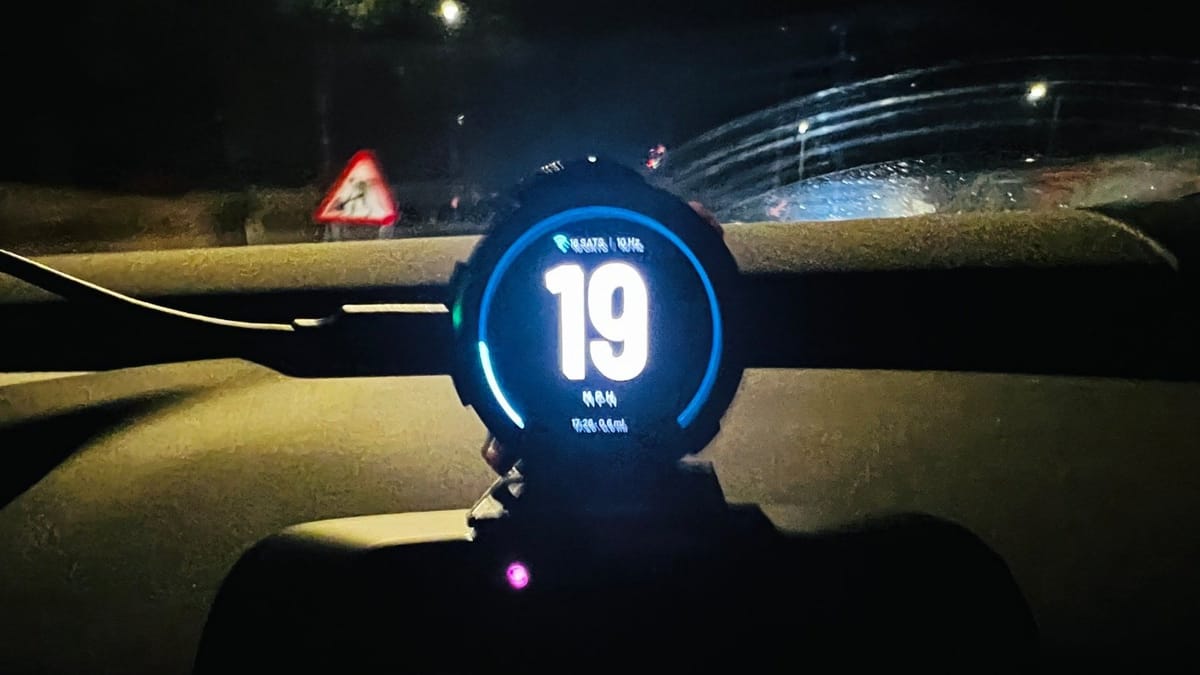
I love the Volvo EX30. It is quick, it is quiet, and it is genuinely lovely to sit in. But within about a week of ownership I noticed something that, once seen, I could not unsee: there is nothing in front of me.
No instrument cluster. No little binnacle behind the wheel. Volvo, in the name of minimalism, has moved everything onto the central touchscreen, including your speed. Which means every time I want to know how fast I am going, my eyes leave the road, travel left and down to the middle of the dashboard, find a number in the top corner of a tablet, and travel back again. On a dark, wet evening on a 30 limit with speed cameras about, that is a lot of glancing.
Twenty-odd years of driving have trained my eyes to drop straight down to the speedo. In the EX30 they drop straight down to... a steering column. So I decided to fix it.
Attempt one: just ask the car
My first instinct was the obvious one. The car already knows exactly how fast it is going, so why not simply read it?
If you have been here before, you will know I have form with this. Silly Sally, our 2009 Ford Focus, happily gave up her secrets over OBD-II once I put an ESP32 in the middle. Older cars like her broadcast a constant chatter of messages on the high-speed CAN bus, and that chatter is right there on pins 6 and 14 of the diagnostic port. Plug in, listen, decode. Job done.
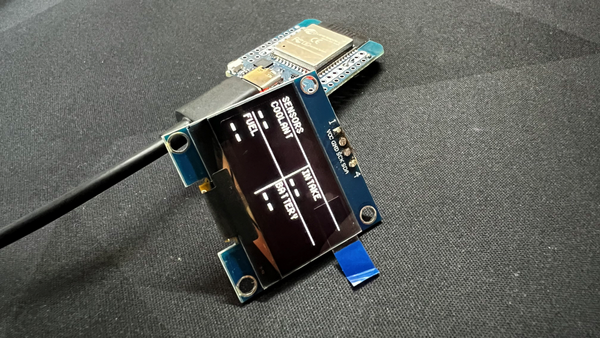
So I dusted off my LilyGo T-2Can (an ESP32-S3 with proper CAN transceivers on board). It already had firmware reading both the high-speed and medium-speed CAN buses on Silly Sally, complete with a live web dashboard and MQTT, so I rewired its OBD-II lead into the CAN B terminals, added a little QWIIC OLED, and wrote firmware to listen on the bus at 500 kbps. I was careful to run the CAN controller in listen-only mode. It never transmits a frame, never sends a diagnostic request, never so much as clears its throat. Poking at a modern car's bus is a very good way to have a very bad day, and I had no intention of becoming a cautionary tale on a Volvo forum.
I built in a raw diagnostic mode that prints every frame whose data changes, plugged it in, and waited for the flood.
The flood never came.
The EX30 is a very different animal to Silly Sally. It is a software-defined car with a properly locked-down architecture, and the OBD port sits behind a gateway. The real high-speed traffic, the stuff that carries wheel speeds and state of charge, lives on internal buses that the gateway simply does not forward to the diagnostic socket. From the outside you get a port that is, for a listener, completely silent. Not a trickle, not a heartbeat, not a single frame. Whatever conversation it has, it has only when spoken to, and only in the ways Volvo has decided it should. Listen-only firmware and a gatewayed car turn out to be two people standing in a room, both waiting for the other to start the conversation.
To be fair to Volvo, there is an official way in. I already run Volvo-MQTT on my home server, which bridges Volvo's Connected Vehicle API into MQTT and Homebridge: battery level, charging state, odometer, locks, doors and location, all on my own dashboard. But that data comes from Volvo's cloud, polled every ten minutes or so under strict rate limits. Brilliant for knowing whether the car is charged in the morning; no help at all for knowing whether I am doing 32 in a 30.
I had candidate CAN IDs, scaling factors and a BLE service all ready to go. What I did not have was a single frame of data. Not one. The diagnostic mode sat there printing nothing, drive after drive. With nothing to decode, and no intention of firing requests at a car I rather like, I parked the CAN approach. Lesson learned: the car may know how fast it is going, but it is under no obligation to tell you.
Attempt two: look up instead
If the car will not tell me my speed, the sky will.
GPS speed has a slightly unfair reputation for being laggy and vague. That reputation comes mostly from cheap modules running at 1 Hz and from devices that work out speed by measuring the distance between successive positions. A decent receiver does something much cleverer: it measures speed directly from the Doppler shift of the satellite signals, which is accurate to a fraction of a mile an hour once it has a fix.
So I ordered an M5Stack GPS/BDS Unit v1.1, built around the AT6668 chip, and paired it with a Waveshare ESP32-S3-LCD-3.16 for the first prototype. The Waveshare has a gorgeous long 820 x 320 bar display, which felt about right for something sitting on a dashboard.
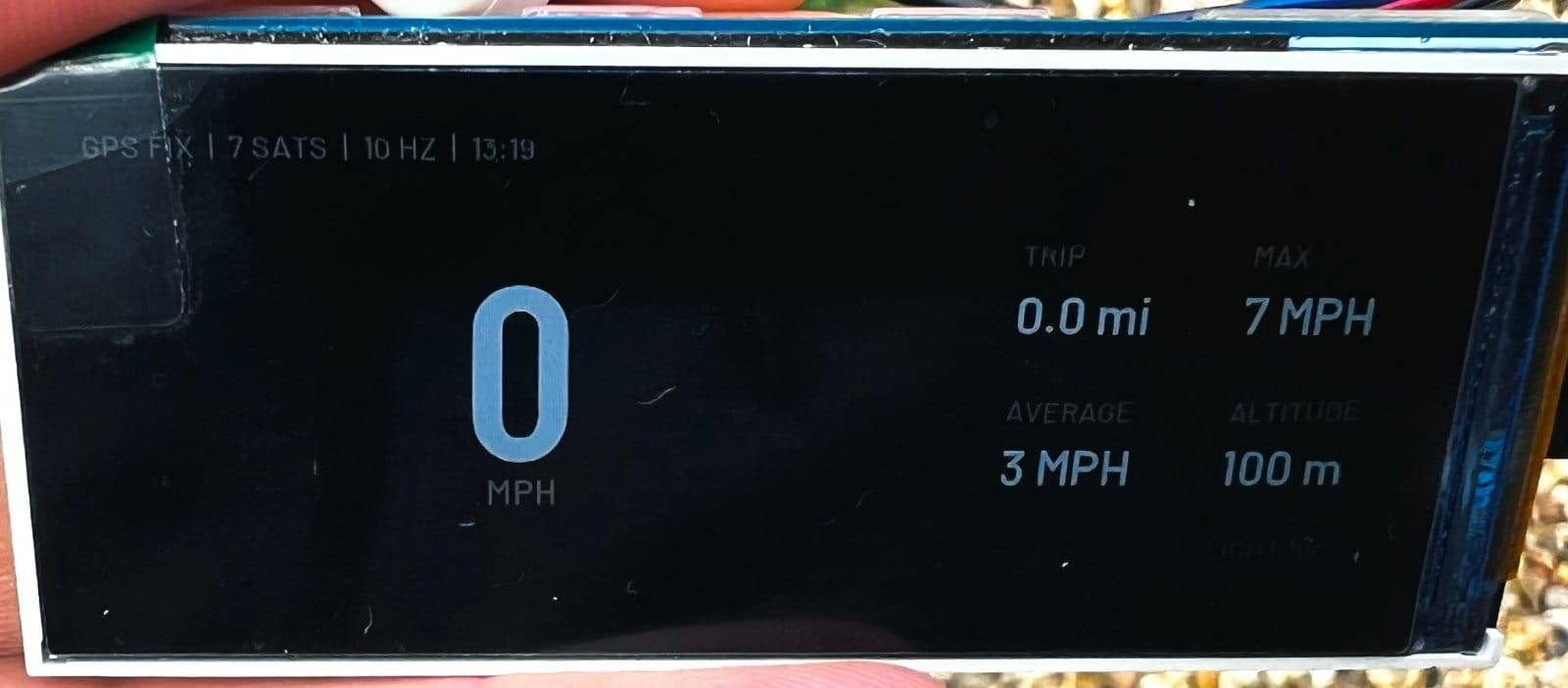
Getting the display stable was its own adventure. The Waveshare drives its panel over a parallel RGB interface, and the moment Wi-Fi switched on the screen started to tear and shimmer. The fix involved rebuilding the Arduino core with a couple of ESP-IDF options set differently, bounce buffers, and double frame buffers. The first build now takes about seven minutes. I have written it all down in the repo, mostly so future me does not have to rediscover it at midnight.
Turning up the frequency
Out of the box, most GPS modules update once a second. At 30 mph you travel about 13 metres in that time, and a speedo that lurches from number to number once a second feels broken, however accurate it is.
The AT6668 can do much better, so on start-up the firmware takes charge of it:
- It probes both pin orientations and both common baud rates, so it does not matter which way round TX and RX ended up.
- It bumps the link to 115200 baud, because 10 updates a second will not squeeze down a 9600 baud pipe.
- It trims the output to just the two sentences I need (RMC for speed and GGA for fix quality), keeping the link light.
- It sets the update rate to 10 Hz.
- It switches the receiver to its automotive dynamic model, so it expects the movement of a car rather than a pedestrian or a plane.
Ten updates a second changed everything. The number now moves the way a needle moves.
Then it was time for a real drive.
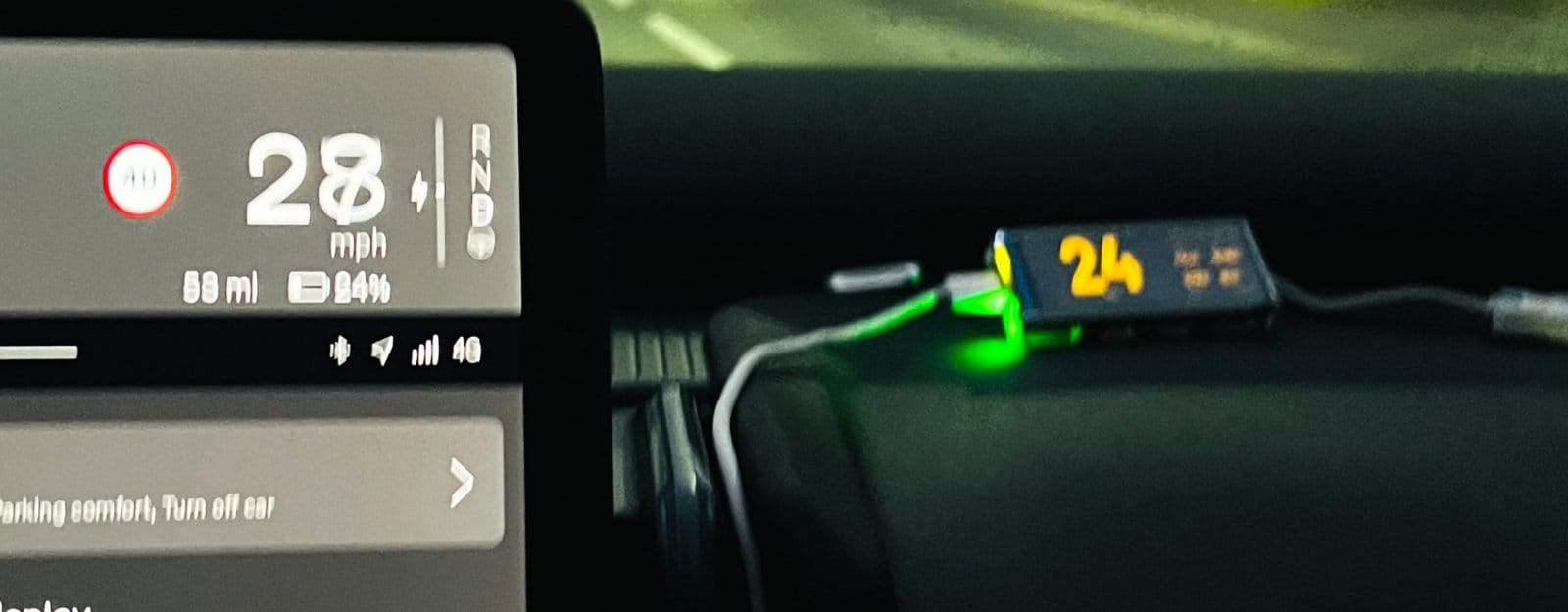
That gap between the two numbers is not a bug. By law a car's speedometer is allowed to over-read but never under-read, so manufacturers build in a little optimism. GPS has no such incentive. It is a gentle reminder that the number in the middle of the dash has always been telling you a small white lie.
One other lesson from the Waveshare: I originally refused to show speed whenever the HDOP (the receiver's own estimate of how good its position fix is) looked poor. It sounded sensible. In practice it blanked out perfectly good speed readings, because Doppler speed holds up well even when position accuracy wobbles. The gate came out and has stayed out.
The final form: a speedo that looks like a speedo
The Waveshare proved the idea, but a long rectangle on the dashboard never quite looked like it belonged. A speedometer, in my head, is round.
Enter the M5Stack StopWatch: an ESP32-S3 with a 1.75 inch, 466 x 466 round AMOLED, a battery, an accelerometer, a vibration motor, two buttons and a touch screen, all in something about the size of a chunky watch face. It is a lovely bit of kit, and the GPS unit plugs straight into its side port.
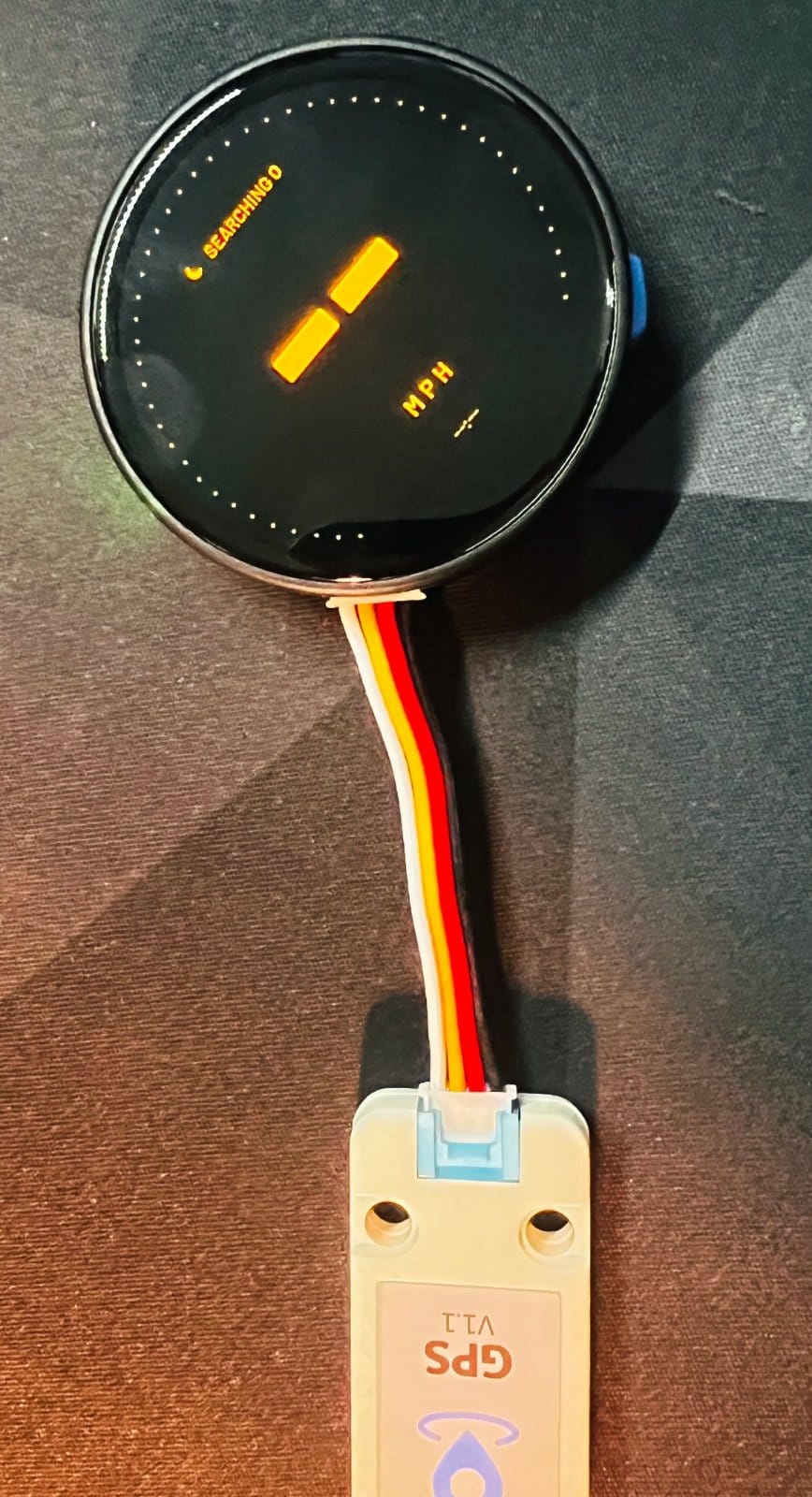
With a proper round screen to play with, I may have got slightly carried away:
- Five designs: a clean big-number face, two gauge styles with a 0 to 120 mph dial, an info screen with heading, trip, max, average and altitude, and a Night design in warm amber with as few pixels lit as possible.
- Automatic brightness from the sun. The StopWatch has no light sensor, so it works out the sun's elevation from GPS position and time, and steps down from full brightness in daylight through dusk and twilight to 15% at night. With Auto night on, it switches to the warm Night design by itself once the sun drops below the horizon.
- Smoothing that is honest. Steady speeds are smoothed, real acceleration passes straight through, and the whole number only changes once the speed is clearly past it, so it does not flicker between 29 and 30.
- A proper zero. GPS likes to report a mile or two an hour while you are sat at the lights. The accelerometer knows when the car is genuinely still, so the display reads zero rather than wandering about.
- Speed alerts with a buzz (or buzz and tone) when you creep over a limit. Hold both buttons while driving to set the limit to your current speed, rounded to the nearest 10.
- Wi-Fi and a settings page, joining my phone's hotspot on the move and home Wi-Fi on the drive, with every colour configurable from a browser and firmware updates over the air.
- Location logging to my own API, queued in PSRAM so nothing is lost when signal drops out. My data, my server. Silly Sally would be proud.
One gotcha worth sharing: the speed digits are as big as the round screen allows, and the graphics library copies each glyph onto the stack while drawing it. The biggest glyph is nearly 22 KB. The result, until I raised the loop stack to 32 KB, was a board that rebooted the moment it drew its first digit after getting a fix. Nothing quite like a speedo that crashes when you start moving.
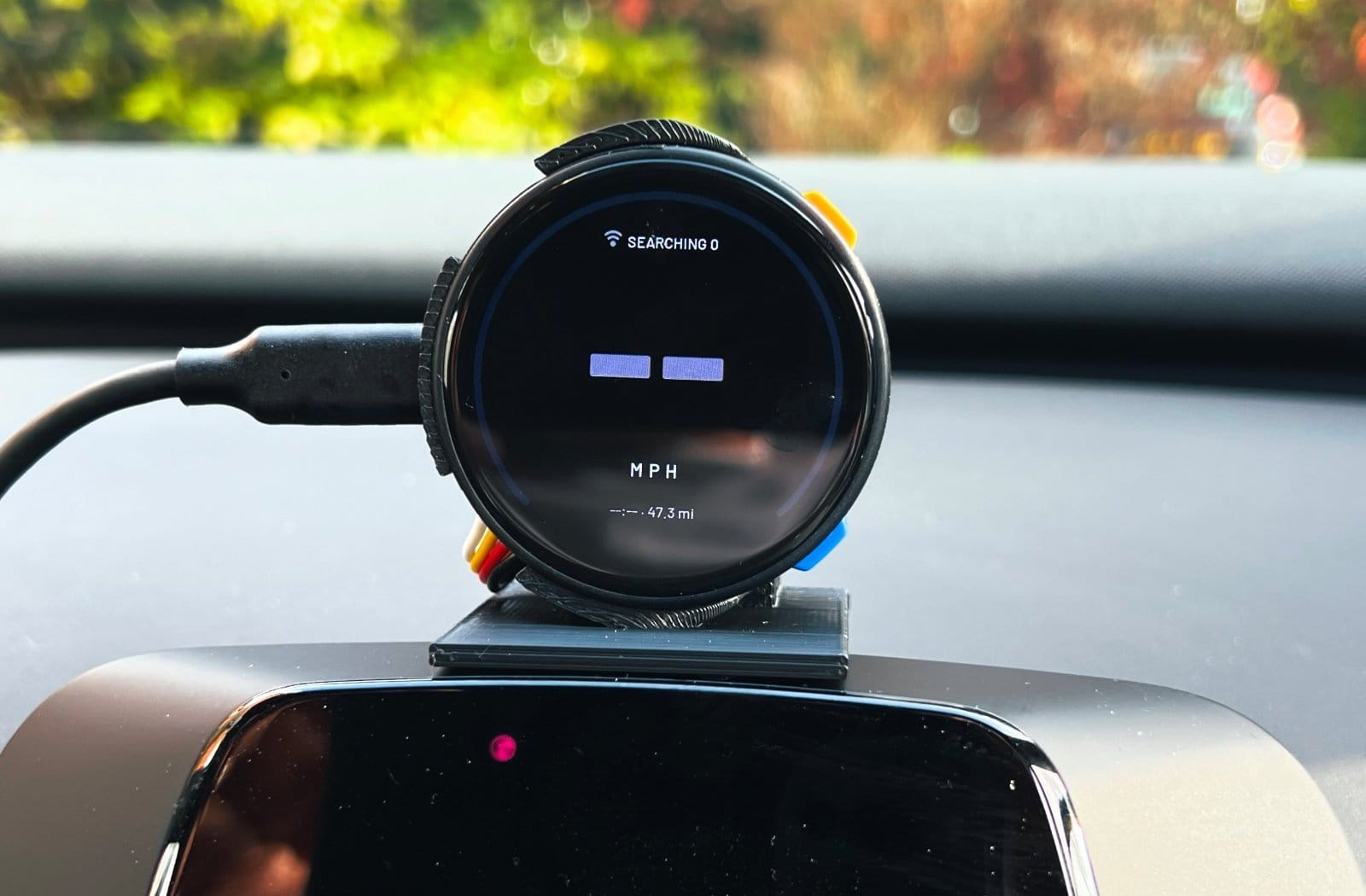
A case, a holder, and fifteen degrees
Hardware on a desk is one thing. Hardware in a car needs a home.
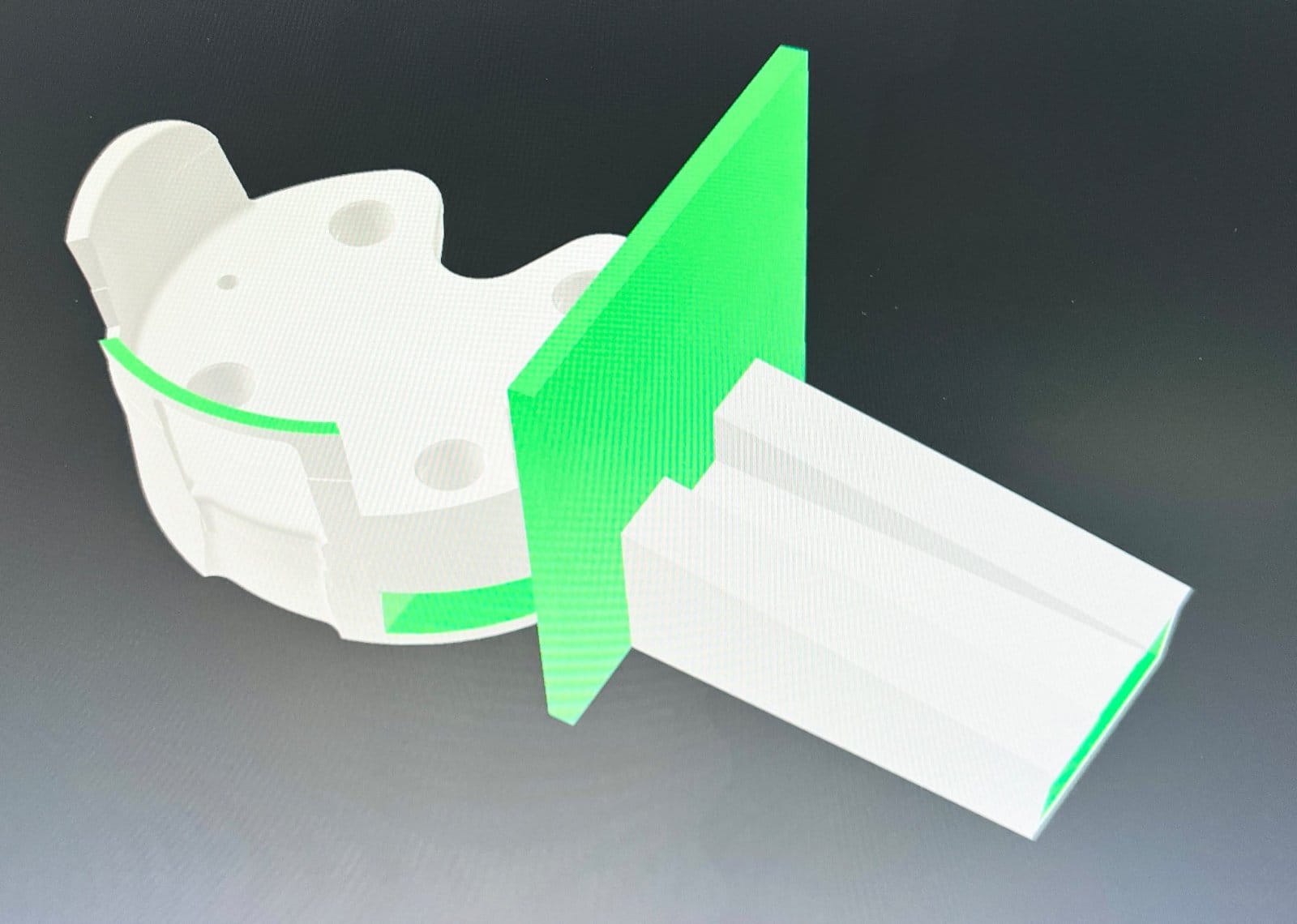
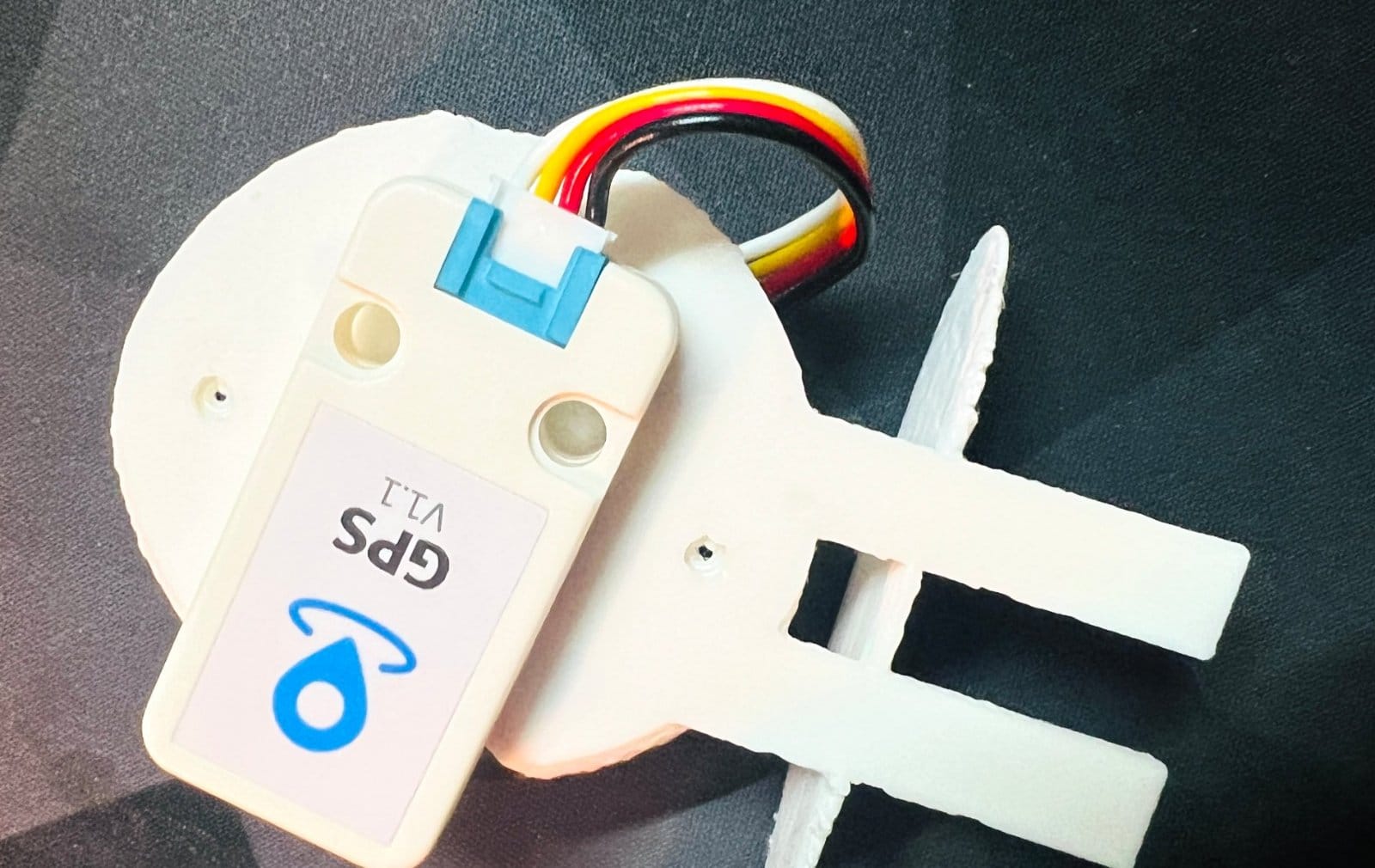
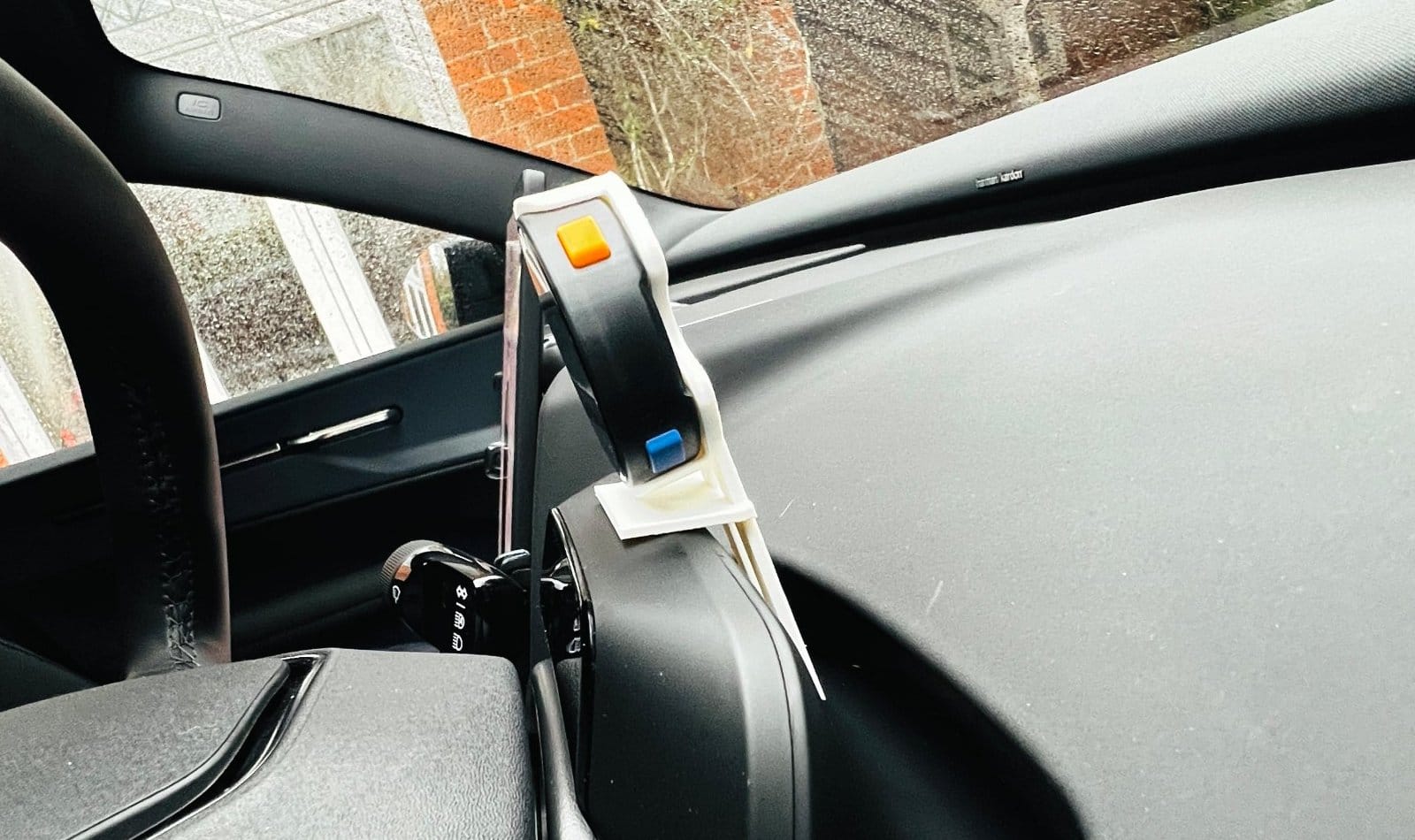
The EX30 has a small pod sitting on top of the steering column, which happens to be exactly where your eyes naturally fall, just under the line of the road. So I designed a 3D-printed case and holder that perches on top of it, with a fin that slots into the gap behind to keep everything put. The GPS module lives on the back of the holder, facing the windscreen with a clear view of the sky.
Credit where it is due: I did not start from a blank page. The cradle began life as the excellent M5Stack StopWatch Magnetic Grip Case by yetzt on Printables, which I then hacked to shreds to bolt on the mount, the fin and the tilt. Thank you, yetzt. And if anyone with better CAD skills than mine fancies helping turn my hacked-about version into something properly elegant, I would genuinely love the help. Get in touch.
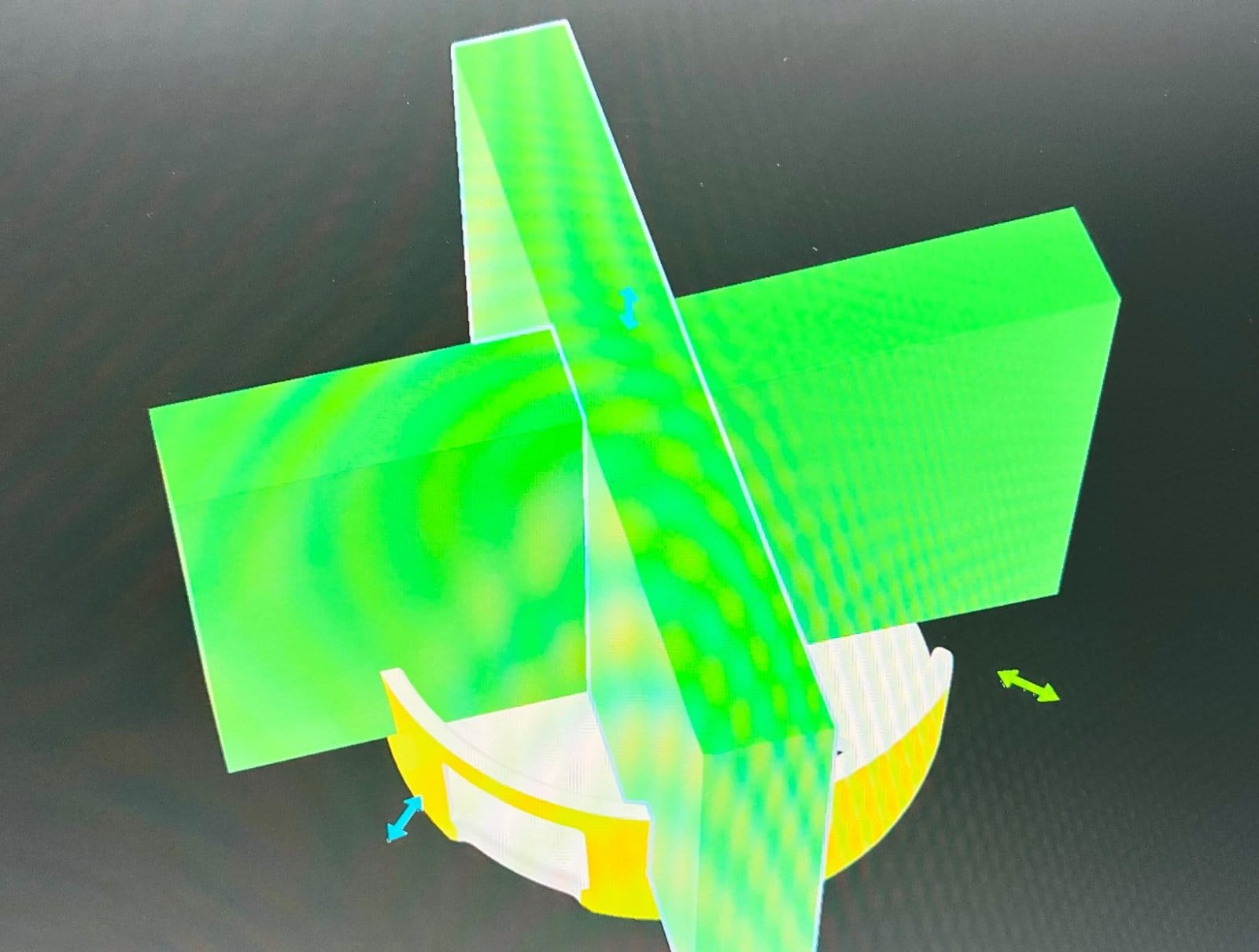
The trickiest part was the angle. Mount a display flat on that pod and it points at your chest. After some measuring, a lot of squinting from the driving seat and a couple of reprints, I tilted the face back by 15 degrees, which leaves it upright, square on and dead centre to the driver.
What's next
Functionally, this one is done. On a recent dark, wet drive I realised I had stopped thinking about it at all, which is about the highest praise you can give a speedometer.
There are two jobs left. The first is cosmetic: right now a USB cable loops across the dash like an afterthought. The plan is a 90 degree USB-C cable threaded through the driver's side of the console so it disappears completely, and the whole thing looks far more discreet and much more factory.
The second job is considerably harder. I need to convince my wife that a glowing round speedo on the steering column adds genuine functionality and is not, as has been suggested, "a bit geeky". I am working on the argument. The speed camera on our local 30 may end up doing it for me.
Build your own
If you drive an EX30 (or anything else that hides its speedo in the middle of the dash) and fancy building one, every stage of the journey is open source:
- The CAN bus attempt (LilyGo T-2Can, which started life reading Silly Sally's HS and MS buses): esp32_ODBII_hs_ms
- The official API route (Volvo Connected Vehicle API to MQTT and Homebridge): Volvo-MQTT
- The Waveshare prototype: esp32_EX30_Speedometer_Waveshare316
- The final M5Stack StopWatch speedometer: esp32_EX30_Speedometer_M5GPSStopWatch
- The original case design I built the holder from: M5Stack StopWatch Magnetic Grip Case by yetzt
The StopWatch build is the one to go for, and everything from the GPS setup to the colour presets is configurable from its web page.
A problem spotted, a problem solved, and a lot of fun along the way. Happy hacking, and keep your eyes on the road!