The AI Meeting Buddy: A Pocket Recorder for People Who Talk Too Much to Take Notes
A portable, voice-controlled meeting recorder built on the ESP32-C6, three prototype expansion boards, and the two hours of UI debugging that nearly did me in.

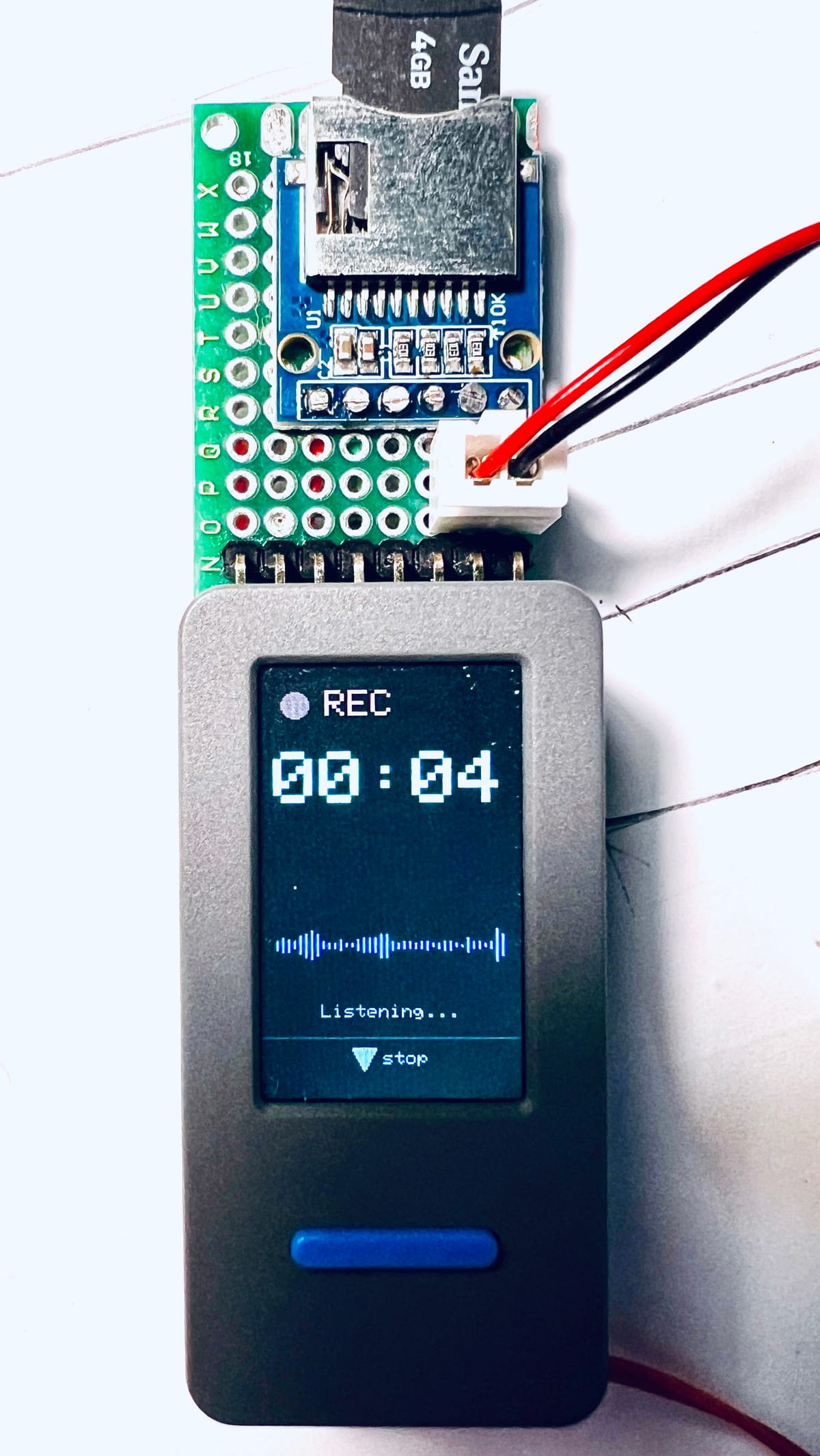
I am, by my own admission, a nightmare in meetings. Not because I'm unprepared or rude, but because I get properly stuck in. Animated hands, interrupting myself mid-sentence to correct my own point, nodding enthusiastically at other people's ideas while forgetting to write a single one of them down. By the time the call ends I've contributed loads and captured nothing. My notes app is a graveyard of half-finished sentences like "ask Dave about the" and then nothing, because apparently Dave said something so gripping I abandoned language altogether.
So I built a small robot to do the bit of meetings I'm constitutionally incapable of: sitting quietly and remembering things.
Meet the AI Meeting Buddy: a pocket-sized, battery-powered recorder that captures meeting audio locally, then hands it off to a transcription and summarisation pipeline running on my own infrastructure. No cloud recorder bot awkwardly joining your call. No "this meeting is being recorded" bot voice interrupting your flow. Just a small grey brick on the desk with a friendly little face on it, quietly doing the job my brain refuses to do while I'm busy gesturing at nothing.
The idea is straightforward. Press a button, it records. Press it again, it stops. Everything gets written to a WAV file on a microSD card, timestamped by an onboard RTC so I always know which meeting is which, even the ones I'd rather forget. When I'm ready, I hold the other button, dip into a menu, and tell it to upload. It fires up Wi-Fi (only then, not during recording, more on that below), sends the day's meetings to a little Flask server I run at home, which transcribes them with Whisper and then sends the transcript to Claude for a proper tidy up: cleanup, summary, and action items pulled out automatically.
The genuinely nice part is that the audio never touches anyone else's server unless I explicitly tell it to. It sits on the device until I choose to upload it, and the transcription runs on infrastructure I control. Given that meetings often contain things people would rather not see enter a stranger's training data, that mattered to me more than I expected it to.
The hardware
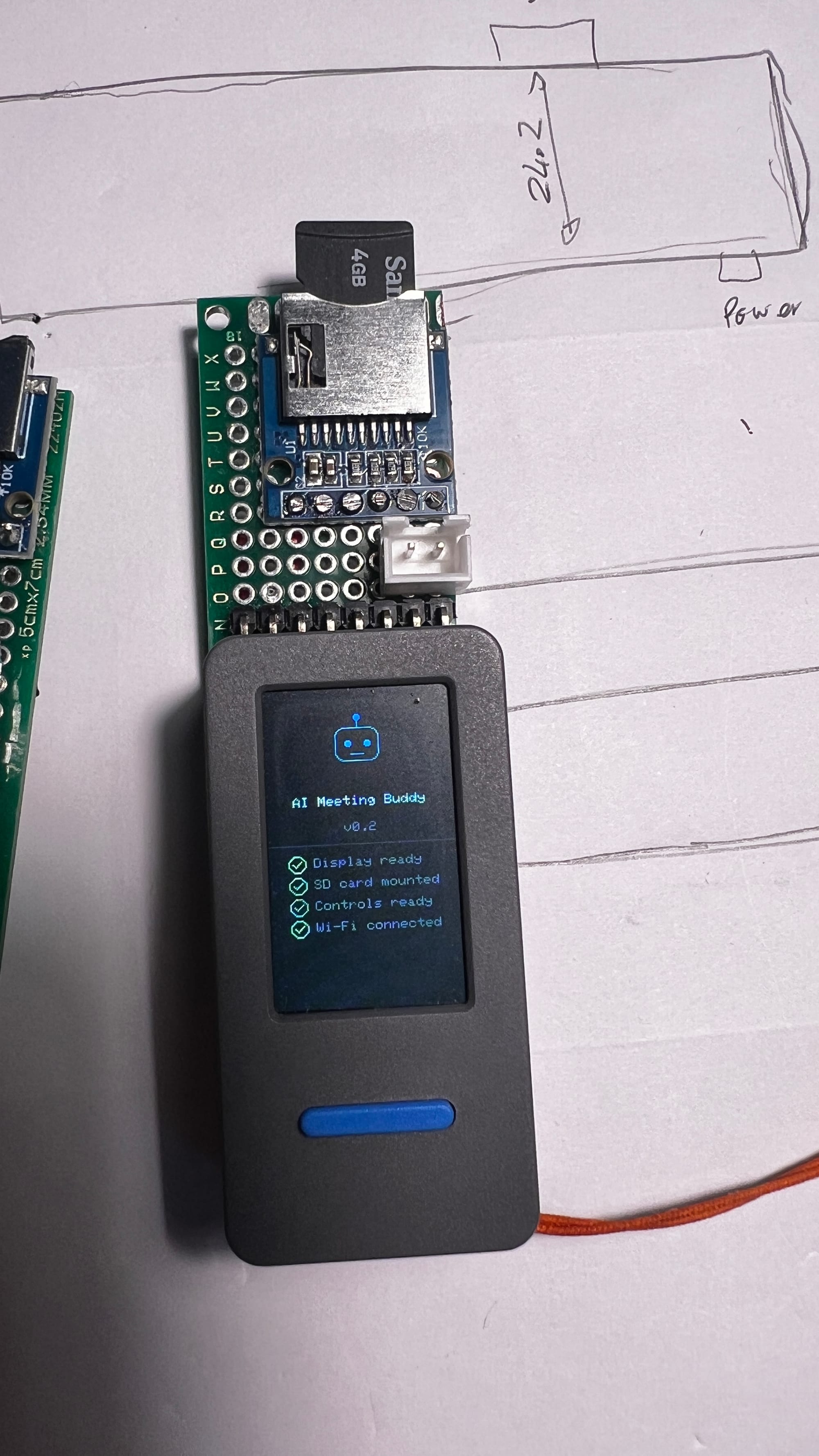
The brains of the operation is a Waveshare ESP32-C6-LCD-1.69, a genuinely brilliant little all-in-one board: microcontroller, 1.69 inch LCD, microphone, audio codec, speaker amp and battery charging circuitry all bundled onto one board about the size of a couple of stacked credit cards. Waveshare have basically done the hard bit for you, which suited me fine because I wanted to spend my evenings on firmware, not on working out why my microphone bias voltage was wrong.
On top of that I bolted a microSD breakout board for local storage and, in later revisions, a proper LiPo battery for cordless meeting-hopping. Two buttons run the whole show: BOOT starts and stops recording (and cycles through the menu), PWR opens the menu and confirms a selection. No gesture timing, no double-tap nonsense, just two dedicated buttons doing exactly what they say. After some early experiments with combo presses that only I could reliably trigger, "two buttons that just do the obvious thing" was a very deliberate design decision.
Three prototypes, three lessons
Nothing about this came together in one clean attempt. I went through three separate expansion boards before landing on the one that's actually in the case now, and each one taught me something.
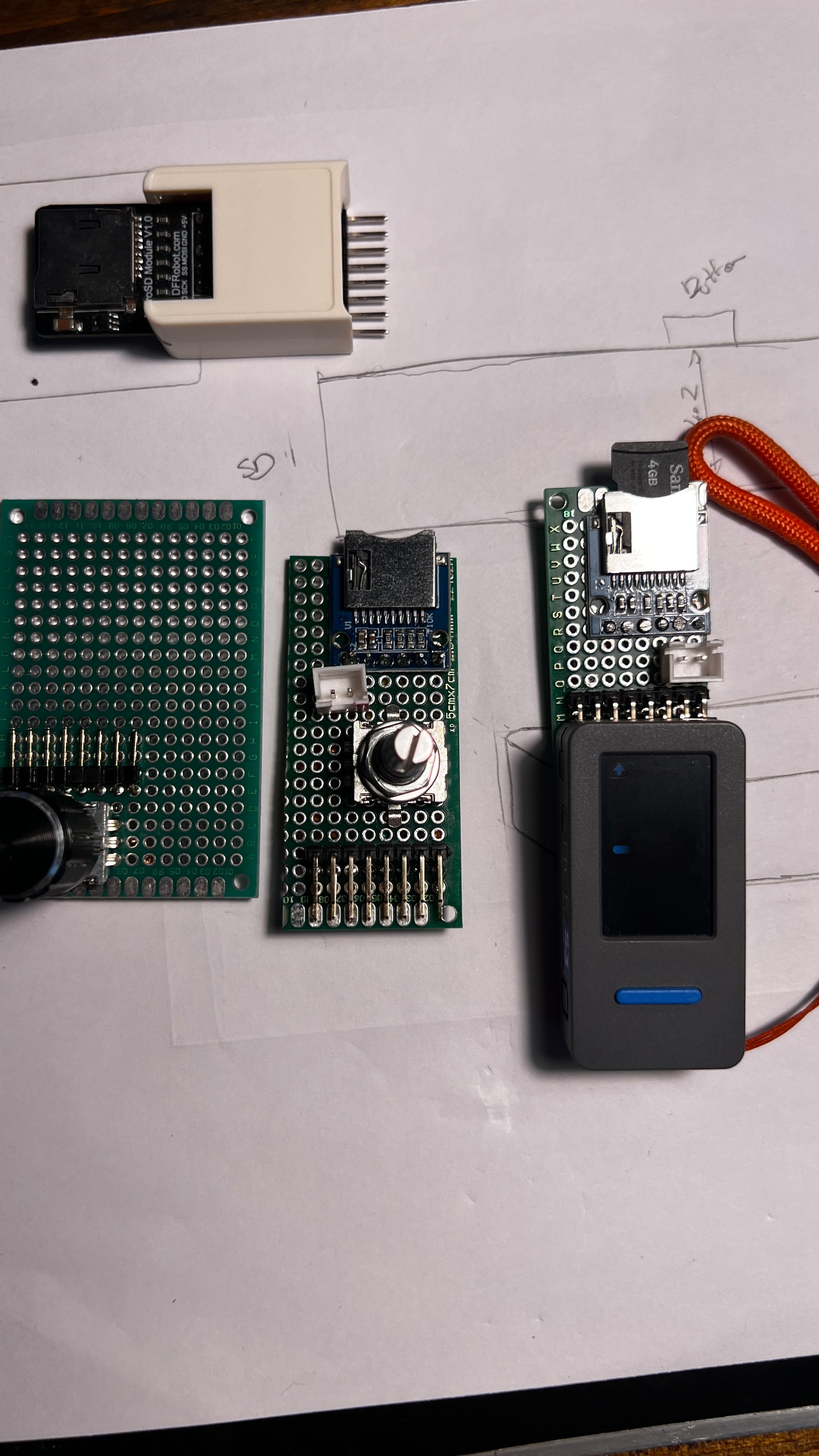
Prototype one: the rotary encoder board. My first instinct was that a physical dial would be a lovely way to scroll through menus and adjust settings, all very tactile and satisfying. I soldered up a board built entirely around a rotary encoder. It worked, technically. It also turned out to be a solution to a problem I didn't have. Two buttons already covered menu navigation perfectly well, and the encoder added a chunk of extra wiring and GPIO pins for a feature that mostly let me spin a knob and feel pleased with myself. Fun to build, not worth keeping.
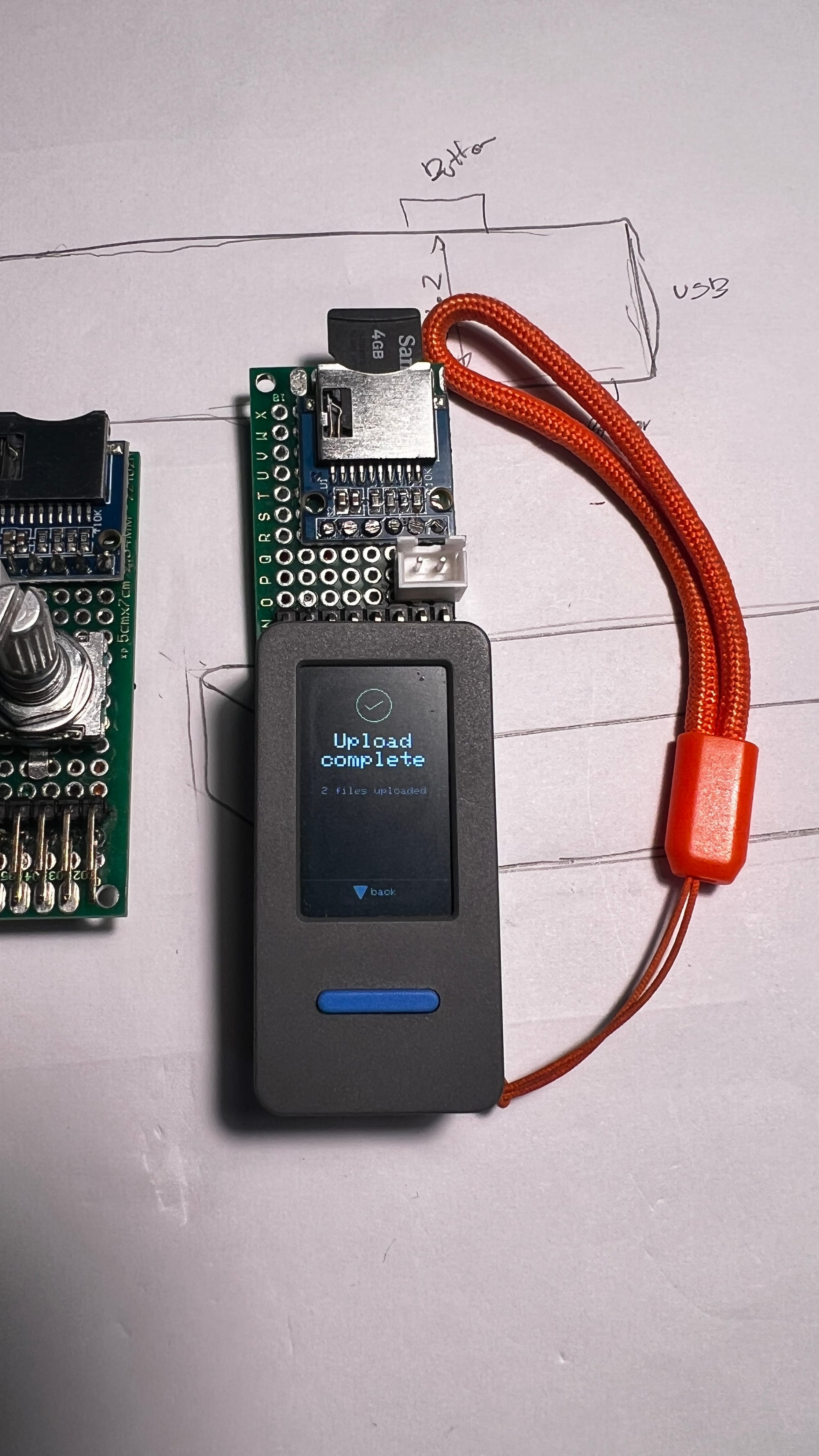
Prototype two: rotary encoder plus SD card. Undeterred, I combined the encoder with the microSD breakout on one board, thinking I could consolidate everything onto a single add-on. This is also when I discovered that finding 90 degree pin headers is far more of an ordeal than it has any right to be. The M5StickS3-style stacking header layout wants its connections coming off at a right angle so the whole thing sits flat and doesn't look like it's trying to escape the case, and straight pin headers simply were not going to cut it. A surprising amount of one evening was spent scrolling through component listings looking for the right angle variety, only to end up ordering from three different suppliers because nobody seemed to stock quite the right pitch and pin count together.
Prototype three: SD card and battery, and nothing else. Once the rotary encoder was gone, the final board simplified right down: a microSD breakout for storage and a JST connector wired up for a 2600mAh LiPo. This is the one currently living inside the device. Ditching the encoder freed up GPIO pins, simplified the wiring loom no end, and meant I could size the battery for actual meeting-length recording sessions rather than just proving the concept would power on. A 2600mAh cell gives comfortably enough headroom for a full day of back-to-back calls, with the Wi-Fi radio staying off during recording to stretch it further.
The two hours I will never get back
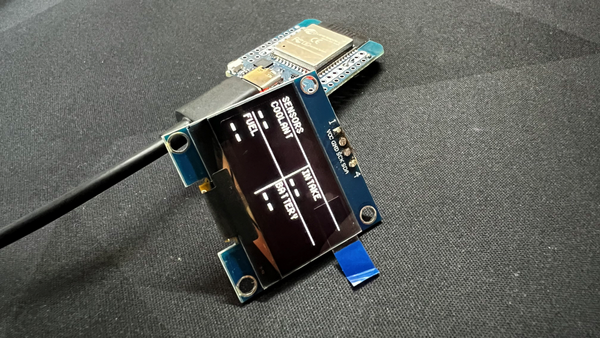
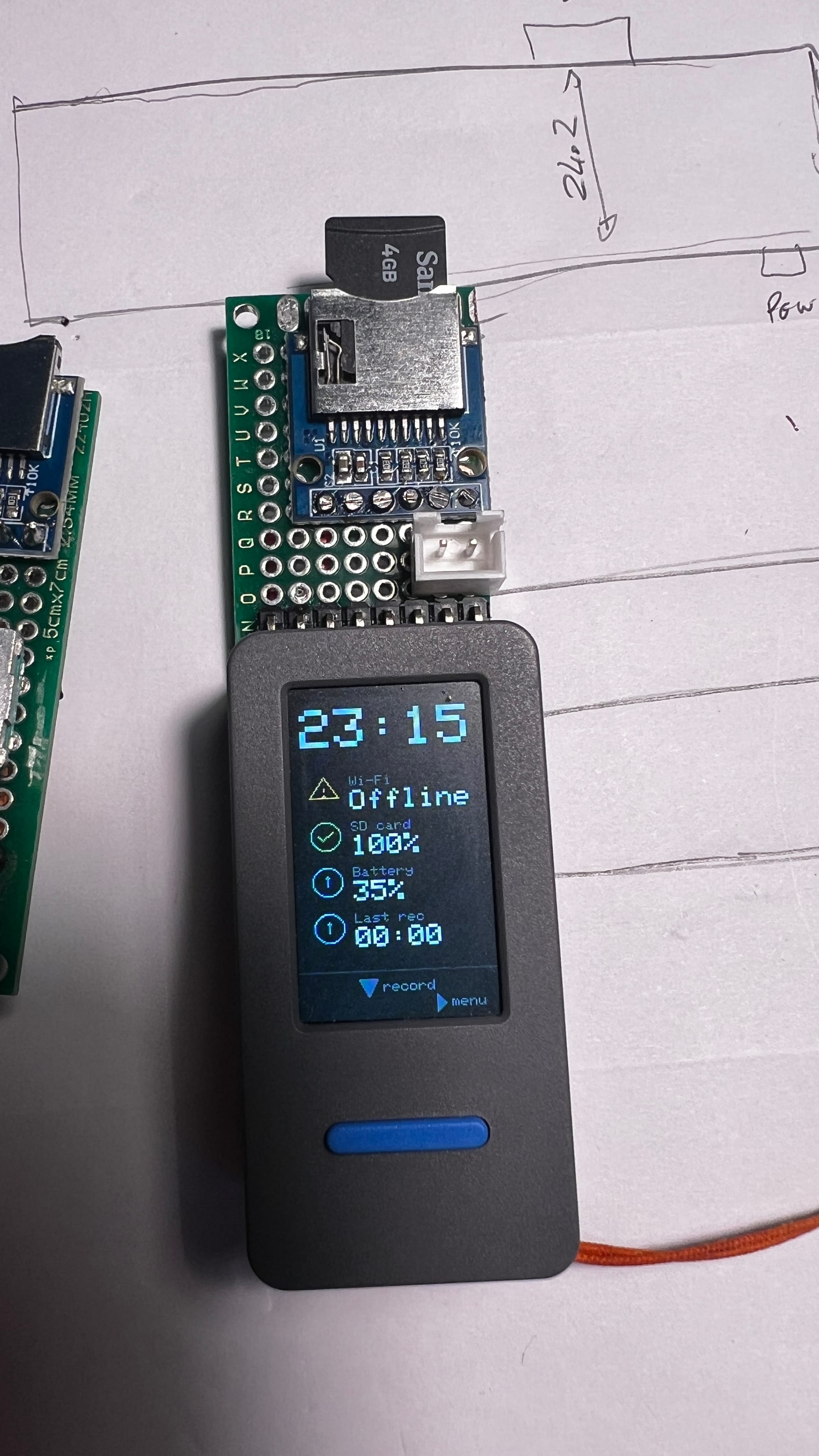
I want to talk about the UI, because it very nearly broke me at 3am. The 1.69 inch display is small and the information I wanted on the idle screen was not: Wi-Fi status, SD card health, battery percentage, last recording time, plus the same information again but restyled for the menu view. What should have been an afternoon's work of laying out a few icons and labels turned into two solid hours of increasingly unhinged trial and error.
The screenshots below are not staged for comedic effect, this is genuinely what my device looked like for a good chunk of one evening: two completely different screens overlapping each other, icons drawn mid-transition, text stacked on top of other text like a ransom note assembled by a very confused printer.
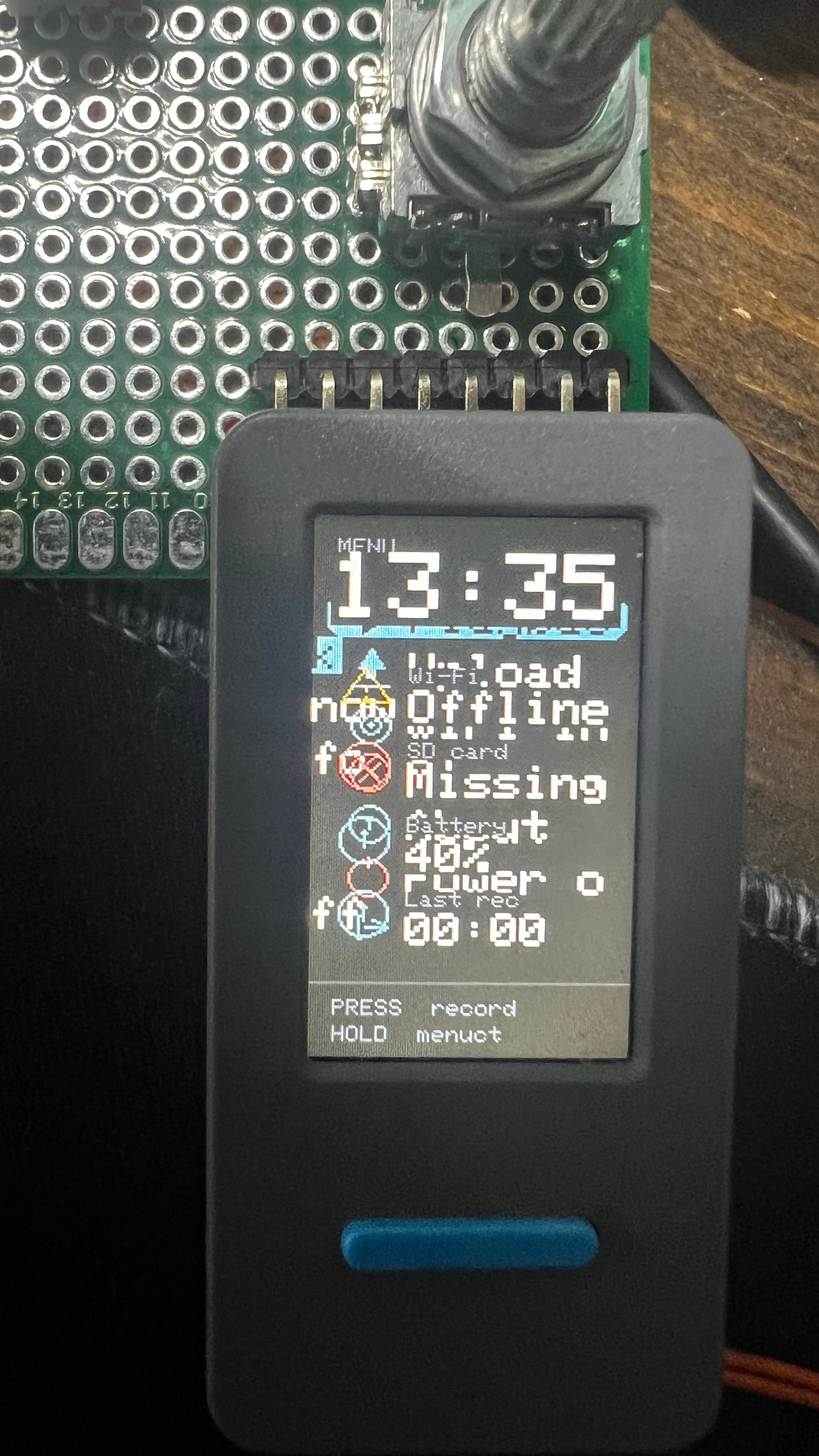
The culprit, in the end, was a redraw routine that wasn't clearing the previous frame's buffer before writing the new one, combined with the menu and idle views sharing coordinates that I'd assumed, wrongly, would never need to be on screen at the same time. They absolutely did need to be on screen at the same time, briefly, during the transition, and the display duly rendered both of them stacked on top of each other like a haunted Etch A Sketch.
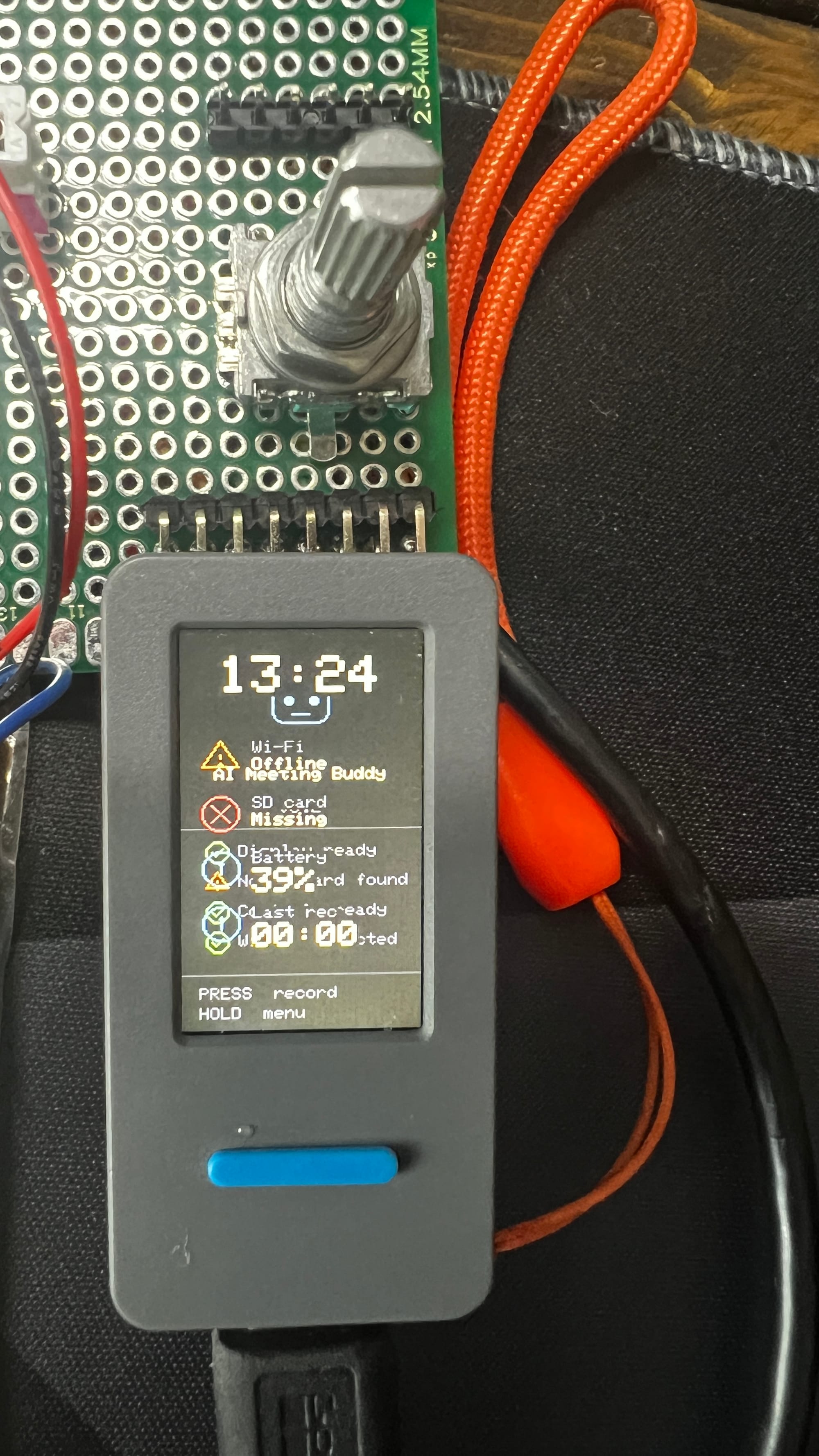
Two hours of adding explicit clear calls, rethinking the layout as proper discrete states instead of one screen gradually mutating into another, and a lot of squinting at a screen the size of a large postage stamp later, it settled down into the clean version you see at the top of this post. Small displays are unforgiving. There is nowhere to hide a bug when your entire canvas is 1.69 inches diagonal.
What's next
Electronically, I'm happy with where it's at. The remaining job is entirely cosmetic and practical: designing and printing a rubberised case to actually contain the thing, because right now it's a bare board with a screen glued to the front of it, held together by hope and a strip of Kapton tape. A soft-touch case will make it something I'm actually willing to carry around and drop on a meeting room table without wincing, and will hopefully stop the SD card breakout from catching on my jacket pocket every single time.
Once that's sorted, the next item on the list is the shake-to-start feature I've been eyeing up, using the onboard IMU to detect when I've picked the device up and automatically start recording. Given how often I forget to press the button in the first place, teaching the device to notice I've grabbed it might end up doing more for my meeting notes than the AI pipeline ever will.
If you fancy building your own, the full firmware, server pipeline, and build guide are up on GitHub.