The 6th Screen: Building a Unified, Multi-Surface Calendar Dashboard

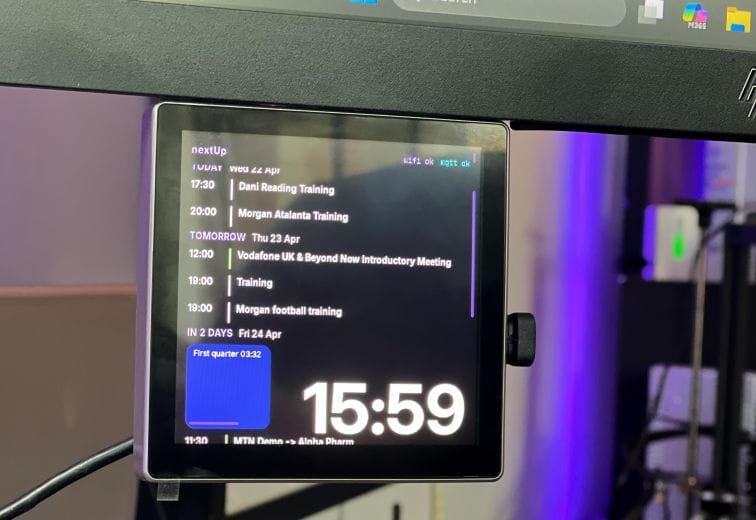
They say five monitors are enough for anyone. They were wrong. My latest desk addition: the "6th screen" - isn't just another display; it's a dedicated, ambient window into my entire life.
I built nextUp Calendar, a self-hosted ecosystem designed to bridge the gap between corporate rigidity (Microsoft 365) and personal chaos (Google Calendar), delivering that data to everything from a desktop widget to a custom-coded ESP32 wall display.
Here is how the journey from a Docker container to a painful hardware build went down.
Phase 1: The "Brain" (The Dockerized Aggregator)
The first challenge was the data. Getting a clean, unified JSON feed of my life required jumping through two very different hoops:
- Google Calendar: Accessed via a Personal Access Token (PAT).
- Microsoft 365: This was the "fun" part. It required an actual MS Tenant app registration and admin approval just to fetch my own meetings.
I built a Dockerized Node.js service to act as the single source of truth. It handles the OAuth handshakes, encrypts tokens at rest, and provides a unified API.
Key Backend Features:
- Token-protected JSON feed: One endpoint (
/jsonCalendar) that serves a consolidated timeline. - Write API: Allows me to push external events (like local automation alerts) into the feed via simple HTTP POST requests.
- Persistence: All credentials and settings are stored in an encrypted
data/volume, making it easy to move between servers.
Phase 2: The "Ghost" Client (Electron & Web)
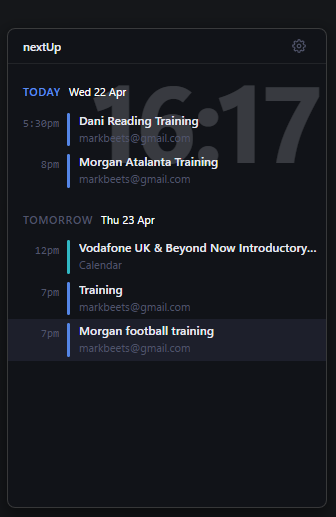
Once the API was solid, I needed a way to see it without tabbing away from my work. I developed a lightweight Web UI with four views (Continuous, Day, Week, and Month) and wrapped it into an Electron app.
This "Desktop Widget" is configured to stay "Always on Top." It sits in the corner of my primary monitors, giving me a heads-up on my next meeting without the bloat of a full Outlook or Calendar window. It’s keyboard-driven too "/"lets me search my entire schedule instantly.
Phase 3: The "Pain" (The ESP32-S3 Display)
This is where the project moved from the desktop to the wall. I picked up an 86 Box ESP32-S3 N16R16 from AliExpress: a good looking 480×480 RGB panel.
I’ll be honest: coding this was a nightmare. Between the non-standard pin assignments for the ST7701 driver and getting the LVGL (Light and Versatile Graphics Library) to behave on a round screen, I spent more time debugging SPI initialization than I did on the actual UI.
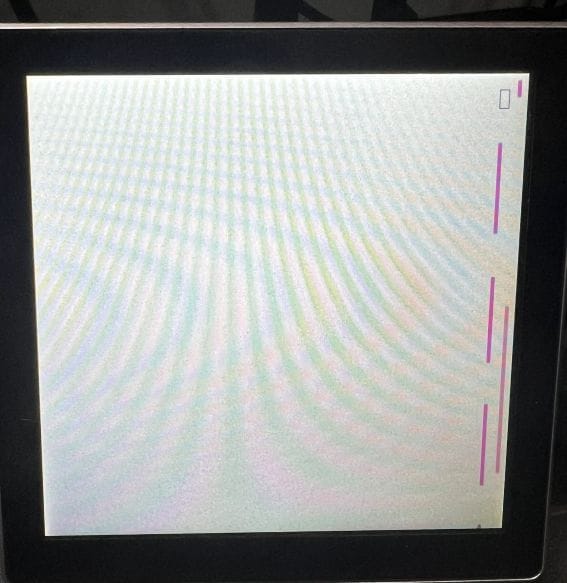
The Hardware Specs:
- MCU: ESP32-S3 (16MB Flash / 8MB PSRAM).
- Display: i BT 4 Inch IPS Touch Screen for Arduino LVGL IOT ESP32 86 Box Central Centrol
- Connectivity: WiFi for the API fetch and MQTT for remote brightness control.
The Software Result:
The device now runs a custom C++ firmware that polls the Docker service every 5 minutes. It features a rolling 7-day agenda with a massive clock overlay. Because it’s touch-enabled, I can tap an event to see the location or meeting notes, and it auto-scrolls back to the "Next Up" event after a minute of inactivity.
Why build it?
Most calendar apps are designed to be "managed." nextUp is designed to be "seen."
Whether it's the Electron widget on my PC or the glowing round portal on my wall, I no longer have to wonder where I’m supposed to be in 20 minutes. It’s just there- unified, automated, and finally, on its own dedicated screen.
Thinking of adding a 7th screen? (Don't answer that.)
Which part of the stack interests you most the Dockerized backend or the hardware struggles with the ESP32?
My Repos:
https://github.com/merlinmb/nextUp-calendar
https://github.com/merlinmb/esp32_86Box_calendar-n16r16